Receive
Record the report and the information required to begin the assessment.
 MAINSYSTEMS
UNOVOX · EUROPEAN UNION
 Global GLOBAL
  Austria AT
  Belgium BE
  Bulgaria BG
  Croatia HR
  Cyprus CY
  Czechia CZ
  Denmark DK
  Estonia EE
  Finland FI
  France FR
  Germany DE
  Greece GR
  Hungary HU
  Ireland IE
  Italy IT
  Latvia LV
  Lithuania LT
  Luxembourg LU
  Malta MT
  Netherlands NL
  Poland PL
  Portugal PT
  Romania RO
  Slovakia SK
  Slovenia SI
  Spain ES
  Sweden SE
 We could not find that country.
Choose your language
UNOVOX brings together intake, follow-up, triage, investigation, deadlines, communication and documentation. Here you can see the product as it is used.
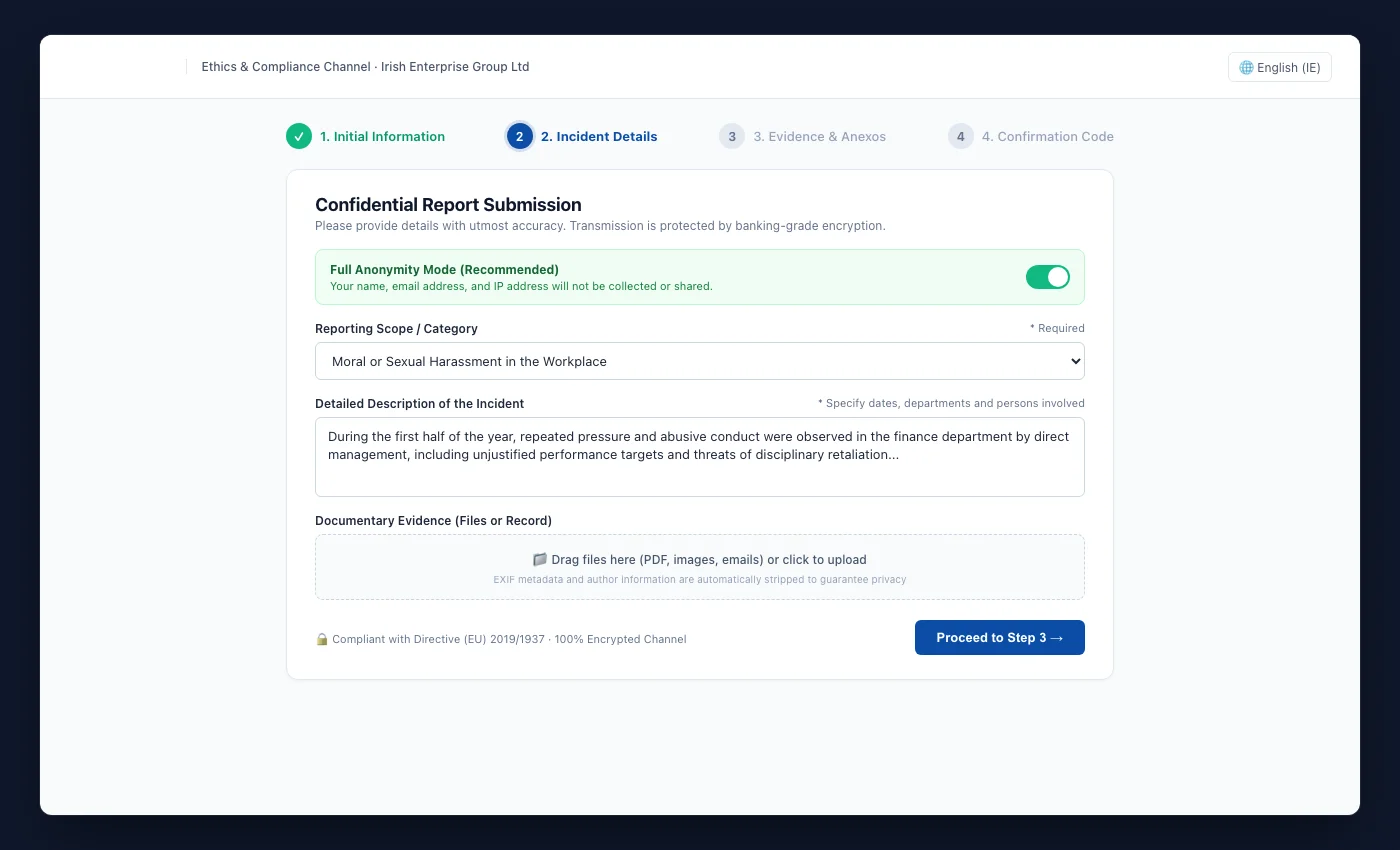
The channel can display the organisation's visual identity and documents. The form guides the person through the description, supplementary information, attachments and optional identification.
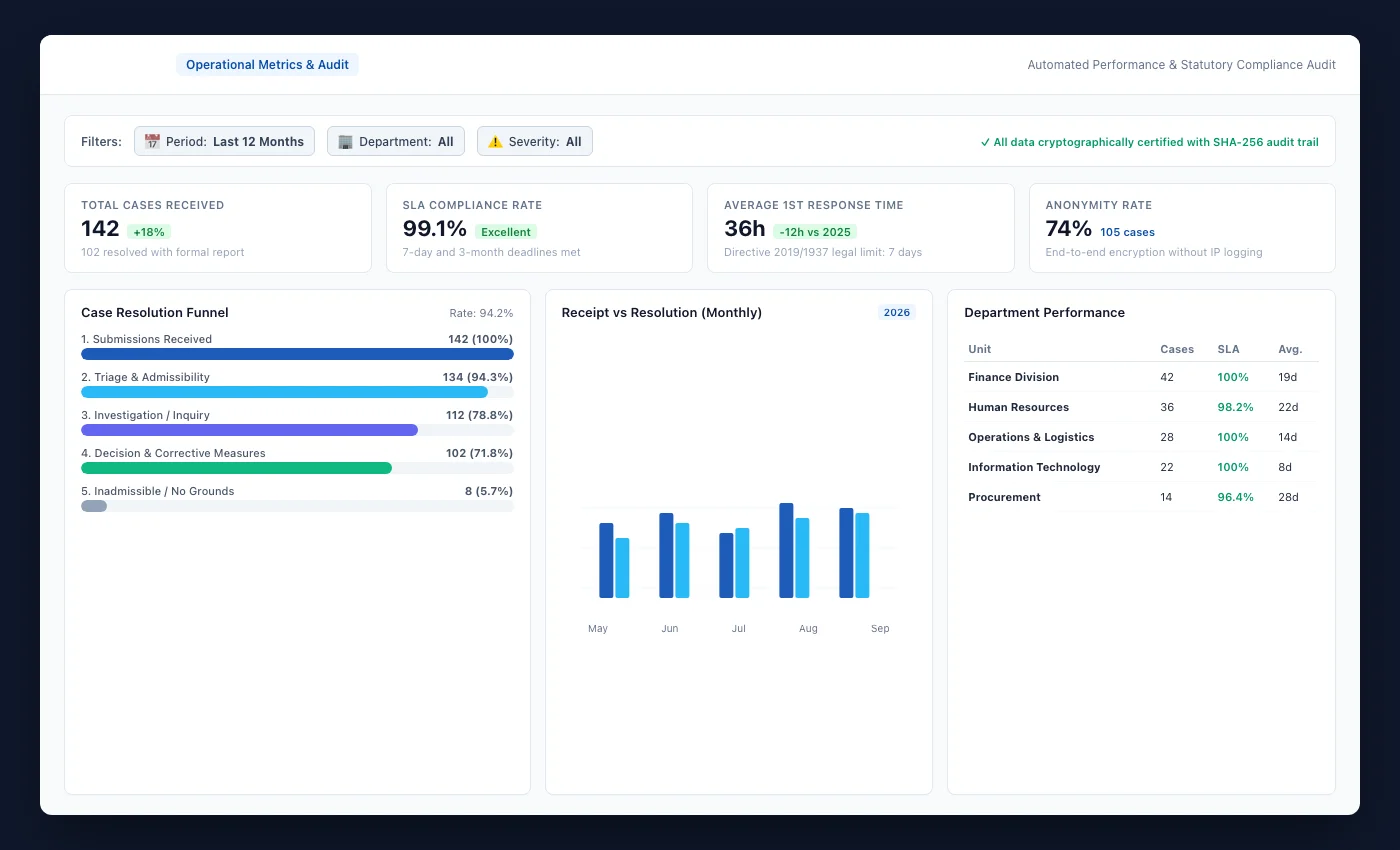
Indicators show total, active, resolved and critical cases, together with resolution rates and average resolution time. Teams can analyse trends, categories, priorities, anonymity and workload distribution.
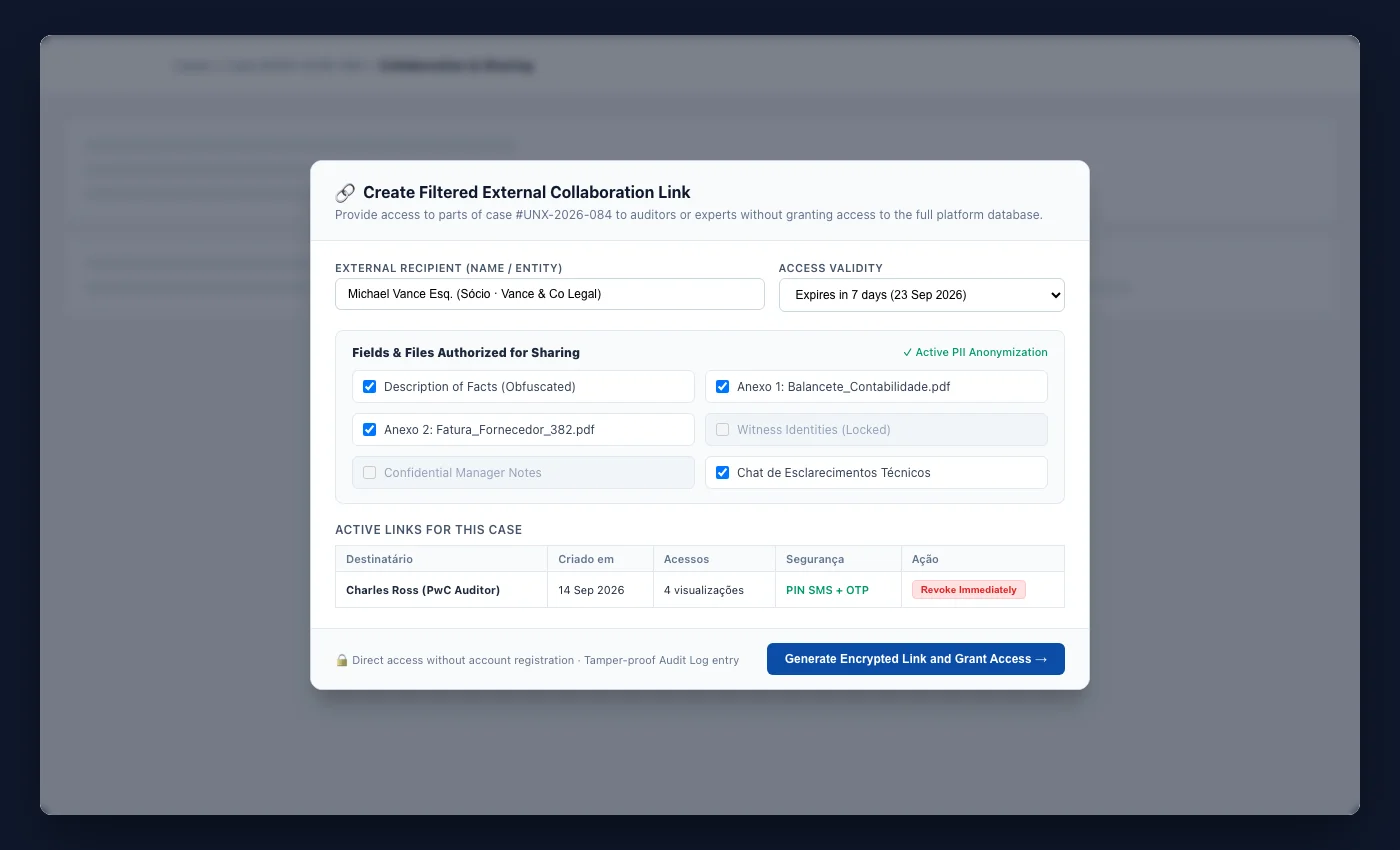
When an external person needs to review a case, the team can create a link to a filtered version and monitor or revoke that share.
The team manages unlimited users and unlimited languages, branding, public documents, categories, channels, priorities, departments, extra fields, deadlines and assignment rules.
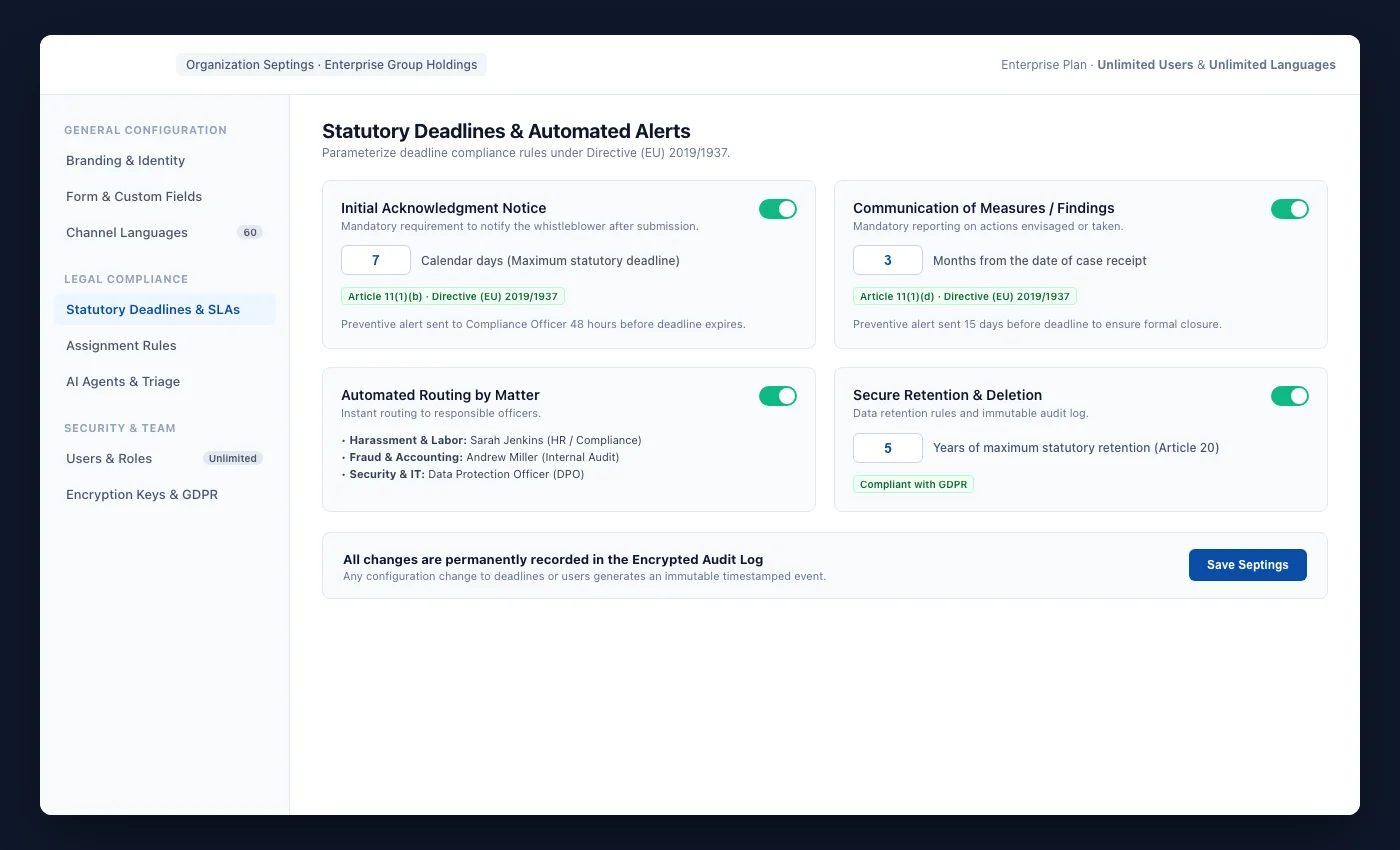
The exact steps depend on the organisation's procedures. The platform configures intake and supports work without scattering information across inboxes, spreadsheets and isolated folders.
Record the report and the information required to begin the assessment.
Set the category, channel, department, priority and owner.
Manage messages, tasks, attachments, reminders, related cases and deadlines.
Change statuses, record notes and preserve the activity history.
Generate periodic documents, case dossiers and audit records.
Analyse trends and distribution to improve the internal process.
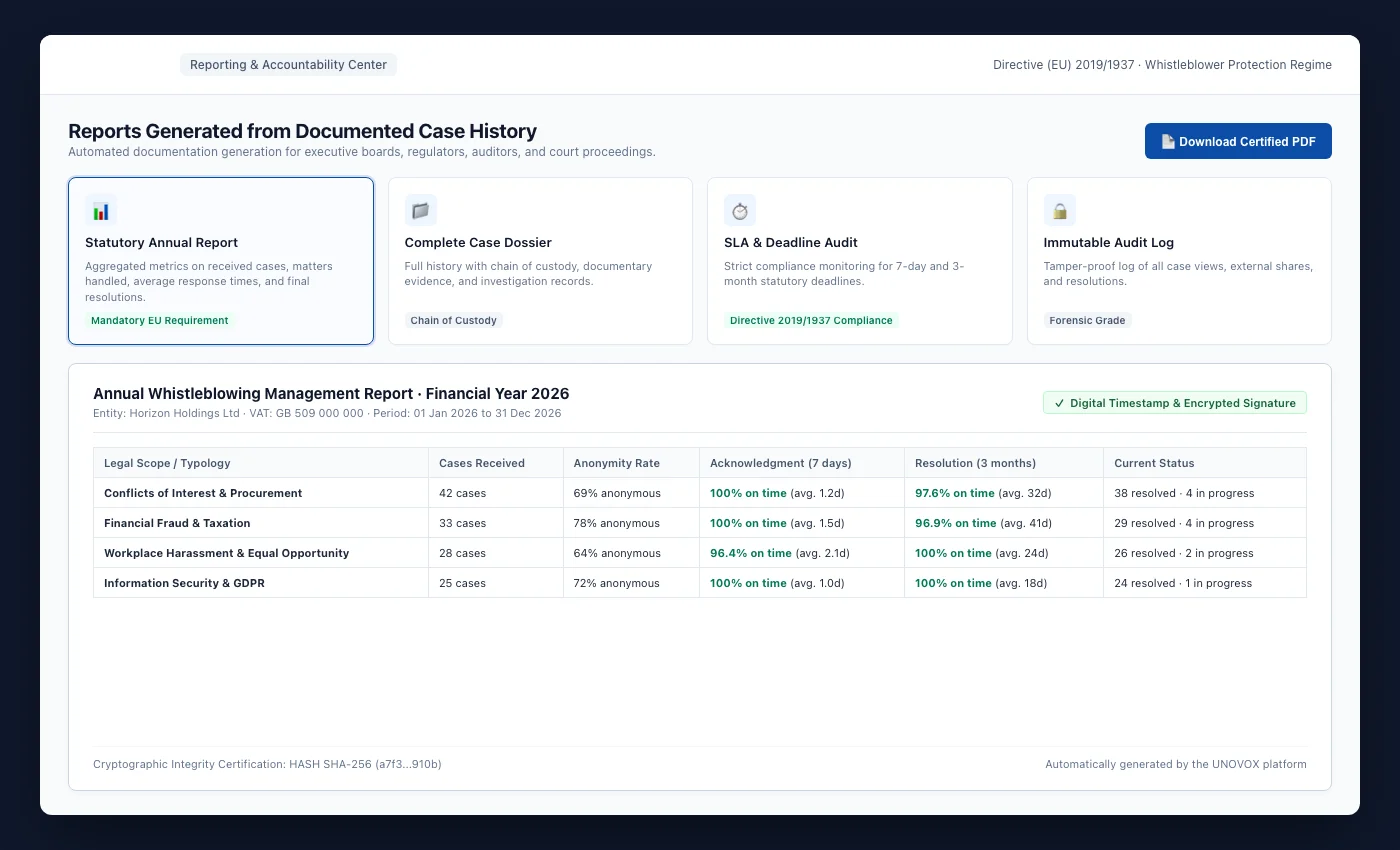
Annual reports, periodic reports, case dossiers and audit records help prepare information for management, investigation or review.
See it in a demonstration